Understanding DDR5 architecture starts with a practical question: what changes inside the memory system, and why should buyers care? DDR5 is not merely DDR4 with a higher number. It changes the data path, power design, bank structure, and module organization. Mark Tekunoff, a senior technology manager at Kingston, has described this shift clearly: “DDR5 is more than a speed increase; it is a change in memory architecture.” That distinction matters when comparing laptops, desktops, workstations, and servers.
This DDR5 architecture explained guide focuses on the details buyers can actually observe. A DDR5 module uses two independent 32-bit subchannels, while a typical DDR4 module uses one 64-bit channel. DDR5 also moves power management onto the module through a power management integrated circuit. That can improve control, but it may increase heat and module complexity. On-die error correction supports internal reliability, yet it is not the same as full ECC memory. Many buyers miss that point.
Look closely at capacity, latency, and platform support. Higher transfer rates do not guarantee faster applications. A system with loose timings may feel less responsive in some workloads. Real performance depends on the processor, motherboard, firmware, and software behavior. It is easy to overstate the benefits. Memory compatibility remains surprisingly complicated. Check the motherboard’s validated speed list, voltage requirements, and maximum capacity before purchasing. The label is only part of the story. The architecture matters more.
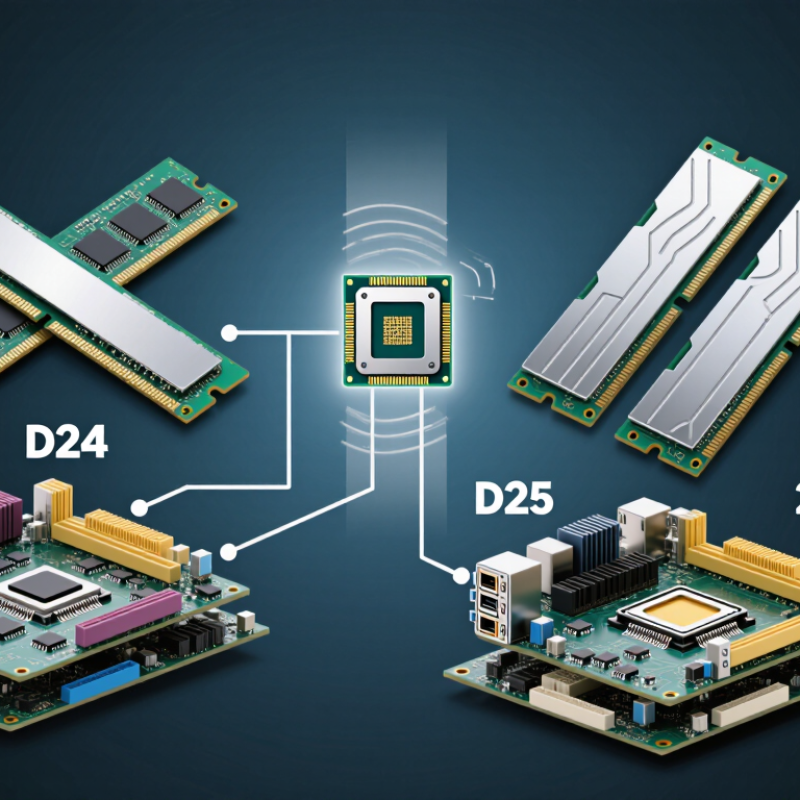
DDR5 architecture divides each memory module into two independent 32-bit subchannels. This design improves command handling and keeps smaller data requests moving efficiently. Each subchannel uses its own command and address signals. DDR5 also doubles the burst length to 16, moving more data during every access. That sounds simple, but real performance depends on the processor’s memory controller and workload.
Core components include the memory chips, power management circuitry, and on-die error correction. Power management moves voltage regulation closer to the module, which can improve control and efficiency. On-die ECC helps correct internal chip errors. It does not provide the same protection as system-level ECC memory. Buyers should check this distinction carefully.
Higher capacity also comes from denser chips, additional bank groups, and improved internal organization. More capacity is useful, but it may increase training time or reduce compatibility on older systems.
Tips:
Check motherboard support, processor limits, module capacity, speed, and timings together. Do not judge performance by frequency alone. Lower latency can matter in sensitive applications. A practical test may show only a small gain in everyday software. That is normal. I have seen faster memory lose value when the system already had enough bandwidth. Leave room for future upgrades, but avoid mixing unmatched modules. Small differences in layout can affect stability. Some specifications remain confusing, and buyer guides should explain them more clearly.
DDR5 divides memory into a more structured layout than earlier generations. Each module uses two independent 32-bit subchannels. Together, they provide the familiar 64-bit data path. This design can keep smaller requests moving without waiting for one wide transfer. Banks are grouped into bank groups, allowing the controller to access different locations with less idle time. One detail is easy to miss.
DDR5 also uses longer burst transfers. A typical burst length of 16 moves more data after one command. This improves efficiency for sequential workloads, such as large file processing or integrated graphics. However, longer bursts may not benefit every task. Real workloads are messier. Random access can still face command timing and bank conflicts.
For buyers, channel layout matters beyond the memory label. A single module may contain two subchannels, but a system can still gain broader host-level bandwidth from two matched modules. The motherboard’s slot arrangement and memory controller also affect results. In practical testing, capacity often matters before small timing differences. Lower latency can help, but frequency alone does not guarantee faster performance.
This is where my earlier assumption would be wrong: more advertised transfers do not always mean a smoother computer. Check the motherboard manual, supported module configuration, and workload type before choosing a kit. On-die error correction improves internal reliability, but it should not be confused with full system-level ECC support.
A DDR5 module is more than a larger-capacity memory stick. It contains two independent 32-bit subchannels, allowing the memory controller to handle smaller requests more efficiently. This design can improve responsiveness in workloads with many simultaneous accesses. However, capacity, timings, and platform support still matter. Architecture alone does not guarantee better performance.
Look closely at the module’s on-board features. A power management circuit regulates voltage near the memory chips, which can improve power delivery. A configuration hub stores identification and operating data for the system firmware. Some modules also include temperature monitoring, especially those designed for demanding environments. These parts are useful, but they add complexity and should not be judged by appearance alone.
Do not confuse on-die error correction with full system-level ECC. On-die correction helps the memory chip manage internal faults, while ECC modules provide broader data protection. The distinction is easy to miss. When checking compatibility, verify the motherboard, processor, module type, capacity limits, and supported speeds together. A higher-rated module may run below its advertised specification. That is normal, not necessarily a defect. I would also question performance claims based on speed alone, because real gains depend on latency, software behavior, and channel configuration.
When buying DDR5, start with speed, but do not treat the largest MT/s number as the whole story. Data rate describes transfers per second, not direct latency. A kit rated at 6,000 MT/s may respond differently from one with tighter timings. Convert CAS latency into nanoseconds for a fairer comparison. The formula is simple: CL × 2,000 ÷ MT/s. Lower results usually feel better in memory-sensitive workloads. In practice, gains depend on the processor, firmware, and application. More speed can also require careful stability testing. Fast on the box.
DDR5 modules manage power differently from older generations. A power-management circuit sits on the module, helping regulate voltage closer to the memory chips. DDR5 also uses a lower nominal voltage, which can reduce energy per transfer. Yet higher frequencies may raise total consumption. During my own upgrade checks, I compare idle power, sustained load, and heat around the memory slots. A cool case does not prove efficiency. Temperature sensors can be incomplete, too. This is where buyer claims deserve a second look.
Error correction needs careful interpretation. DDR5 includes on-die ECC, which helps each memory chip detect and correct some internal bit errors. It does not automatically provide full system-level ECC protection. Workstations and servers may require compatible modules, processors, and motherboard support. Check all three. Capacity and channel layout matter as well; mismatched modules can limit operation or cause training failures. I once focused too heavily on headline speed and overlooked firmware support. That was a useful mistake. Verify the qualified memory list, update policy, timings, voltage, and return terms before purchasing. Specifications inform the decision, but testing confirms it.
| Buying Dimension | What the Specification Means | Representative DDR5 Data | What Buyers Should Check |
|---|---|---|---|
| Data Transfer Rate | The number of data transfers per second. DDR memory transfers data on both clock edges, so the rating is expressed in MT/s rather than MHz. | Common JEDEC data rates include DDR5-4800, DDR5-5200, and DDR5-5600. Faster modules may use higher validated profiles. | Compare the module's MT/s rating with the maximum memory speed supported by the processor and motherboard. |
| Theoretical Bandwidth | Approximate peak bandwidth is calculated as: data rate × 8 bytes for a 64-bit memory interface. | DDR5-4800: 38.4 GB/s per 64-bit memory interface; DDR5-5600: 44.8 GB/s. | Actual application performance is usually lower and depends on memory channels, timings, workload, and system configuration. |
| Clock Frequency | The physical memory clock is approximately half the effective data rate because data is transferred twice per clock cycle. | DDR5-4800 operates at an approximately 2400 MHz memory clock. | Do not mistake MHz for MT/s. A DDR5-4800 module is not operating at a 4800 MHz physical clock. |
| CAS Latency (CL) | CL indicates the number of memory clock cycles between a read command and the beginning of returned data. It is not a direct measurement of time by itself. | Representative values may include CL40 at DDR5-4800, CL38 at DDR5-5200, or CL36 at DDR5-5600. Actual timings vary by module. | Compare both speed and timings. A lower CL number is not automatically faster if the memory data rate is also lower. |
| Real CAS Time | Approximate CAS time can be calculated as: CL × 2000 ÷ data rate, in nanoseconds. | DDR5-4800 CL40 ≈ 16.7 ns; DDR5-5600 CL36 ≈ 12.9 ns. | Use nanoseconds for a more meaningful comparison of first-word access latency. |
| Module Voltage | DDR5 uses a lower nominal DRAM core voltage than DDR4, helping reduce energy per transfer under comparable conditions. | Standard DDR5 DRAM core voltage is approximately 1.1 V. Higher-performance profiles may specify higher operating voltages. | Check the required voltage and profile support, especially when optimizing for power consumption or thermal limits. |
| Power Management | DDR5 moves key power-management functions from the motherboard toward the memory module. | A power-management integrated circuit is located on the module, while the memory controller and firmware still coordinate operating states. | Module-level power management can improve voltage regulation, but it may also concentrate heat on the memory module. |
| Power Consumption | Lower nominal voltage does not guarantee lower total system power because capacity, speed, timings, module count, and workload also affect consumption. | One lower-voltage DDR5 module generally uses less energy per transfer than a comparable DDR4 module, but high-speed operation can increase power. | For efficiency, compare performance per watt rather than voltage alone. |
| Internal Channel Structure | A standard DDR5 memory module is divided into two independent 32-bit data subchannels instead of one wider 64-bit channel. | Two 32-bit subchannels provide a combined 64-bit data path for a non-ECC module. | The split subchannels can improve command efficiency, especially for smaller or more independent memory requests. |
| Burst Length | Burst length describes how many consecutive data transfers occur after a single memory access command. | DDR5 uses a burst length of 16 transfers, commonly described as BL16. | Longer bursts can improve sequential throughput but do not directly determine random-access latency. |
| On-Die ECC | On-die error correction detects and corrects certain internal bit errors within each DRAM chip before data leaves the chip. | On-die ECC is a standard DDR5 reliability feature, but it does not make ordinary memory a full system-ECC solution. | Do not assume on-die ECC protects data across the entire memory channel or operating system. |
| Module-Level ECC | System-level ECC uses additional data bits and platform support to detect and correct errors traveling between memory and the memory controller. | A conventional ECC module commonly adds 8 check bits to each 64 data bits, creating a 72-bit data path. | Verify support from the processor, motherboard, firmware, and memory module. On-die ECC alone is not equivalent to system-level ECC. |
| Capacity Planning | Higher capacity can reduce paging or swapping, which may improve performance more than a small increase in memory speed. | Common module capacities include 8 GB, 16 GB, 32 GB, and 48 GB, with larger capacities also available depending on platform support. | Prioritize sufficient capacity first, then evaluate speed and latency for the intended workload. |
| Compatibility | Memory must match the physical module type, firmware support, electrical requirements, and platform limits. | DDR5 modules are not electrically or physically interchangeable with DDR4 slots. | Confirm DDR generation, module form factor, maximum supported capacity, supported data rate, and required memory profiles. |
| Practical Buyer Priority | The best choice balances capacity, compatibility, data rate, latency, stability, power, and workload requirements. | For general use, a supported mid-range speed with adequate capacity is often more valuable than an extreme speed rating. | Choose capacity and platform compatibility first; compare bandwidth and real latency second; consider power and error-correction requirements third. |
How to Understand DDR5 Architecture for Buyers?
When choosing DDR5 memory, examine the architecture rather than chasing the highest advertised speed. Each module uses two independent 32-bit subchannels, improving access efficiency compared with older layouts. DDR5 also places power management on the module, which can improve regulation and signal control. However, this does not guarantee better performance in every computer. The processor, motherboard, firmware, and workload still matter.
Tips: Capacity comes first. Choose enough memory for your daily tasks, games, or professional software. Check the motherboard’s supported capacity, speed range, and memory list before purchasing. Compare frequency with timings, because a higher data rate may include looser latency. For example, two modules may show similar real-world results despite different headline speeds. Dual-rank modules can help some workloads, but compatibility and stability deserve more attention than theoretical gains.
DDR5 includes on-die error correction, but this is not the same as full system ECC memory. It helps manage internal chip errors, not every data path error. Be careful with voltage settings and automatic performance profiles. They may work well, but stability can vary between systems. I have seen buyers focus on capacity and speed while ignoring module arrangement. That choice can create unnecessary troubleshooting. More memory is not always faster. A balanced kit, updated firmware, and realistic workload testing provide stronger evidence than specifications alone.
Each module uses two independent 32-bit subchannels. Together, they form a 64-bit data path. Smaller requests can move more efficiently. The layout sounds simple, but system behavior varies.
Memory banks are arranged into bank groups. This helps the controller reach different locations with less idle time. Conflicts can still happen during random access. The improvement is not magic.
A typical DDR5 burst length is 16. One command transfers more data afterward. This suits large files and integrated graphics. Random workloads may gain little.
Two matched modules can provide broader host-level bandwidth. Slot placement and controller support also matter. Check the motherboard manual before installation. I once trusted the label too much.
No. MT/s measures transfers per second, not complete latency. Higher speeds may use looser timings. Real performance depends on the processor, firmware, and workload.
Use this formula: CL × 2,000 ÷ MT/s. The result estimates latency in nanoseconds. Lower values often help memory-sensitive tasks. Testing still matters more than neat calculations.
A power-management circuit sits on the memory module. It regulates voltage closer to the memory chips. Lower nominal voltage may reduce energy per transfer. Higher frequencies can still increase heat and consumption.
No. On-die ECC corrects some errors inside individual memory chips. It does not protect every system data path. Full ECC requires compatible modules, processors, and motherboard support. Check all three.
Check capacity, supported speeds, timings, voltage, and module arrangement. Review the qualified memory list and firmware updates. Test stability under sustained load. More memory is not always faster.
This guide, DDR5 architecture explained, presents the main design ideas behind modern DDR5 memory and shows how its internal structure affects real-world performance. It covers the relationship between memory banks, channels, and data transfers, explaining how DDR5 organizes information to support higher bandwidth and more efficient parallel access. Readers will also learn how DDR5 modules use independent subchannels and on-module features to improve responsiveness, capacity management, and reliability.
The guide further examines the balance between speed and latency, along with power management techniques that help control energy use during different workloads. It also introduces error correction concepts and explains why they matter for system stability. Finally, the guide provides a practical framework for evaluating DDR5 modules, including capacity, transfer rate, timings, voltage requirements, thermal behavior, compatibility, and the intended use case. This approach helps buyers compare specifications intelligently rather than relying on a single performance number.

CoreByte