In the rapidly evolving world of technology, understanding components like RAM is crucial. This 2026 DDR5 compatibility guide will navigate essential details you need to know. As we transition to DDR5, many users wonder about its compatibility with existing hardware.
Upgrading to DDR5 offers benefits, such as improved speeds and efficiency. However, compatibility issues can arise if your motherboard or CPU does not support DDR5. This guide highlights what you should check before upgrading.
Investing in DDR5 requires careful consideration. Many users have faced unexpected hurdles due to compatibility concerns. Knowing what to look for will save you time and frustration. This guide aims to empower you with reliable information and practical insights. Let’s explore the landscape of DDR5 together.
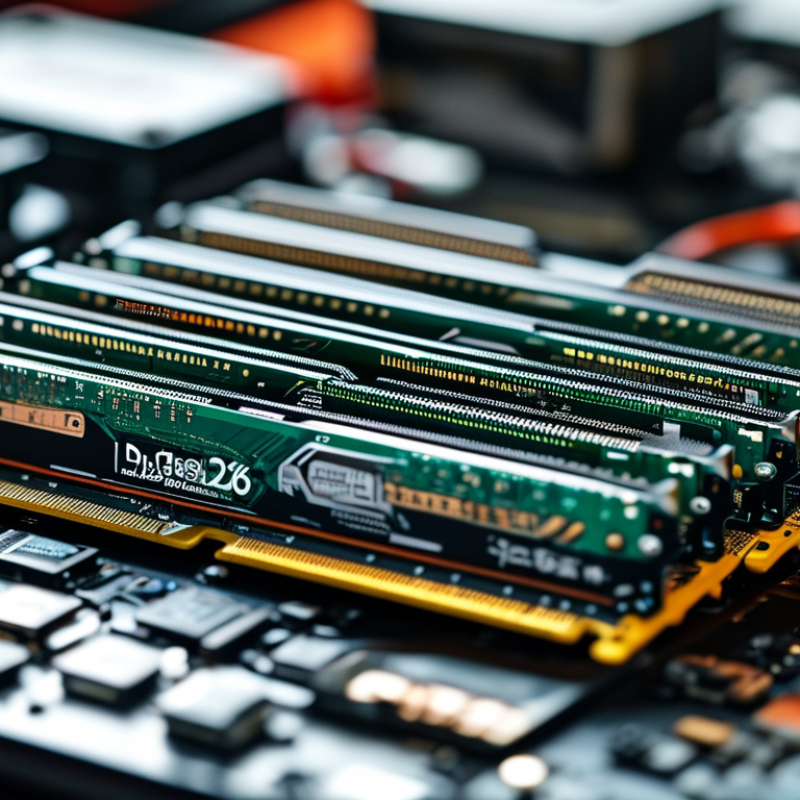
Understanding DDR5: Key Features and Benefits
DDR5 memory offers remarkable enhancements over its predecessor. This technology supports higher bandwidth, reaching up to 6400 MT/s. Reports indicate that DDR5 can deliver speeds nearly double that of DDR4. This is crucial for bandwidth-heavy applications like gaming and video editing, where performance is vital. DDR5 also introduces improved power efficiency, which is essential for portable devices. It operates at 1.1 volts compared to DDR4’s 1.2 volts. Such efficiency can lead to longer battery life in laptops and tablets.
Increased Capacity: One of the standout features of DDR5 is its increased capacity. Modules can support up to 64GB, allowing for greater multitasking capabilities. This expanded capacity is particularly beneficial for professionals working with large datasets. Increased memory density provides an edge in server applications too, enabling better performance in data centers. Industry analyses suggest that systems leveraging DDR5 can outperform those using DDR4 by up to 40% in specific tasks.
Tip: When choosing DDR5, ensure your motherboard supports it. Compatibility is critical for harnessing its full potential.
DDR5 also comes with improved error correction features. These enhancements minimize data corruption, leading to more reliable performance. Some professionals may need to rethink their upgrade cycles. Investing in DDR5 may seem costly now, but its longevity could offset initial expenses in the long run.
Tip: Always keep software up to date to enhance memory performance. Regular updates can make a significant difference in overall system efficiency.
As DDR5 technology emerges, many users wonder about its compatibility with existing hardware components. Understanding this compatibility is crucial for anyone considering an upgrade. Data from the International Technology Roadmap for Semiconductors suggests that DDR5 can achieve speeds up to 8400 MT/s, significantly enhancing performance. However, older motherboards may not support this speed.
Compatibility with existing motherboards is a key concern. Many current models support only DDR4 memory, necessitating a motherboard upgrade for DDR5 use. Also, powering DDR5 modules typically requires higher voltages, which might pose compatibility challenges with older power supplies.
Another notable aspect is the impact on data transfer rates. Upgrading to DDR5 allows for better bandwidth, but the actual performance gain can vary. Users might not see drastic improvements if their CPU or chipset cannot utilize the extra bandwidth efficiently. Therefore, assessing the entire system's architecture is essential. These nuances highlight the need for careful planning before investing in new memory technology.
When selecting a motherboard for DDR5 compatibility, focus on the chipset. The chipset determines performance, features, and overall compatibility with DDR5 RAM. Look for motherboards that explicitly state support for DDR5. Not all motherboards designed for prior DDR versions are equipped for DDR5. Ensure that the socket matches the RAM type.
Pay attention to the number of RAM slots. A typical board supports two or four slots, impacting upgrade options. More slots mean greater expansion potential, beneficial for future upgrades. Cooling solutions matter too. DDR5 RAM can run hot, especially under heavy loads. A motherboard designed with adequate cooling can help maintain optimal temperatures.
It’s also crucial to consider the BIOS updates. Manufacturers frequently release updates for improved compatibility and enhanced performance. Sometimes, buyers overlook this. An outdated BIOS may lead to system instability. Reading user reviews can provide insights into performance and reliability. Experiences shared by others can be invaluable for informed decision-making.
| Motherboard Model | Chipset | Memory Slots | Max RAM (GB) | Form Factor |
|---|---|---|---|---|
| Model A | Chipset X | 4 | 128 | ATX |
| Model B | Chipset Y | 4 | 64 | Micro ATX |
| Model C | Chipset Z | 2 | 32 | Mini ITX |
| Model D | Chipset W | 8 | 256 | ATX |
| Model E | Chipset V | 4 | 128 | ATX |
Upgrading to DDR5 memory can significantly enhance your system's performance. With data rates starting at 4800 MT/s, DDR5 offers up to 50% higher bandwidth compared to its predecessor. This improvement is particularly beneficial for gaming, content creation, and other demanding applications. However, users must understand the installation process to realize these advantages fully.
When installing DDR5, ensure your motherboard supports the new standard. Many high-end boards, launched after 2021, come equipped with DDR5 slots. According to a recent industry report, over 40% of motherboard manufacturers plan to increase DDR5 support in their new models. This shift indicates the growing importance of upgrading RAM for optimal system performance.
Installing RAM requires careful handling. Always ground yourself to prevent static damage. Align the notch on the memory stick with the slot to avoid misinstallation. If the stick doesn’t fit snugly, recheck the alignment. Many users overlook these details, leading to faulty setups. Remember, even minor mistakes can cause instability in your system. Ensure everything is seated properly before powering on your device.
As we look toward the future, integrating DDR5 memory into your system is a crucial step. DDR5 offers features like increased bandwidth, lower power consumption, and enhanced efficiency. These improvements can significantly boost performance in memory-intensive applications. If you're a content creator, gamer, or data analyst, DDR5 can elevate your system to new heights.
Future-proofing with DDR5 is not without its challenges. Transitioning to DDR5 may require new motherboards and compatible components. Not all existing setups can easily adapt. It is essential to stay informed about compatibility and specifications. Some users might find themselves stuck in a cycle of upgrading components that are quickly outdated.
Planning for DDR5 integration means considering your needs and budget. Make strategic decisions based on your usage patterns. Keep an eye on the evolving landscape of memory technology. The right approach today can save you from costly upgrades later. Invest time in researching DDR5 compatibility to ensure your system remains relevant in the years to come.
: Not all motherboards support DDR5. Older models may only support DDR4, requiring an upgrade.
Focus on the chipset and ensure it explicitly states DDR5 support.
More slots, like four instead of two, provide greater upgrade potential in the future.
DDR5 can generate heat under load, so adequate cooling prevents potential performance issues.
Yes, outdated BIOS can lead to instability. Regular updates can enhance compatibility and performance.
Ground yourself, align the notch correctly, and ensure a snug fit to avoid installation errors.
Performance gains can vary. If your CPU can’t utilize the bandwidth, improvements may not be significant.
Minor mistakes can cause system instability. Double-check the installation for a smooth setup.
Users often overlook grounding and alignment, leading to faulty setups and potential damage.
The "2026 DDR5 Compatibility Guide" serves as an essential resource for understanding the next generation of memory technology. It highlights the key features and benefits of DDR5, including increased bandwidth and improved energy efficiency compared to its predecessors. The guide emphasizes the importance of assessing compatibility with existing hardware components to ensure optimal performance.
When upgrading, selecting the right motherboard is crucial for harnessing DDR5's advantages, and the guide provides tips for a seamless memory installation process. Lastly, it discusses future-proofing your system by integrating DDR5, preparing users for the demands of upcoming applications and software advancements. This comprehensive guide aims to equip users with the knowledge needed to navigate the transition to DDR5 effectively.

CoreByte