In 2026, DDR5 will be more than a faster replacement for DDR4. It will influence workstation design, gaming performance, cloud infrastructure, and artificial intelligence deployment. Global buyers must examine capacity, latency, power efficiency, platform support, and long-term availability. A bright label alone proves little.
Micron CEO Sanjay Mehrotra has said, “Memory is becoming increasingly important in the era of artificial intelligence.” That observation explains DDR5’s growing relevance. Modern processors can process enormous datasets, but weak memory configurations create visible bottlenecks. A server may look powerful on paper, yet struggle when four memory channels remain underused. Real performance depends on balance.
This guide examines the Future of DDR5 technology through practical buying criteria. It compares mainstream UDIMMs, registered DIMMs, ECC options, high-density modules, and emerging speed grades. JEDEC standards provide a useful foundation, while manufacturer datasheets reveal operating voltage, timings, and compatibility limits. Independent testing remains valuable because advertised bandwidth does not always equal application performance.
There is no universal winner.
A low-latency kit may suit a gaming desktop, while a data center needs reliability, validated firmware, and predictable supply. Regional pricing also changes the decision. Import duties, warranty coverage, and replacement access can matter more than a small benchmark gain. Some buyers may overpay for extreme frequencies they cannot use. That mistake is easy to make.
The most dependable choice will combine verified compatibility, sensible capacity, stable availability, and measurable workload benefits. This analysis keeps that standard in view, while acknowledging an uncomfortable truth: DDR5 progress is rapid, but product naming remains confusing.
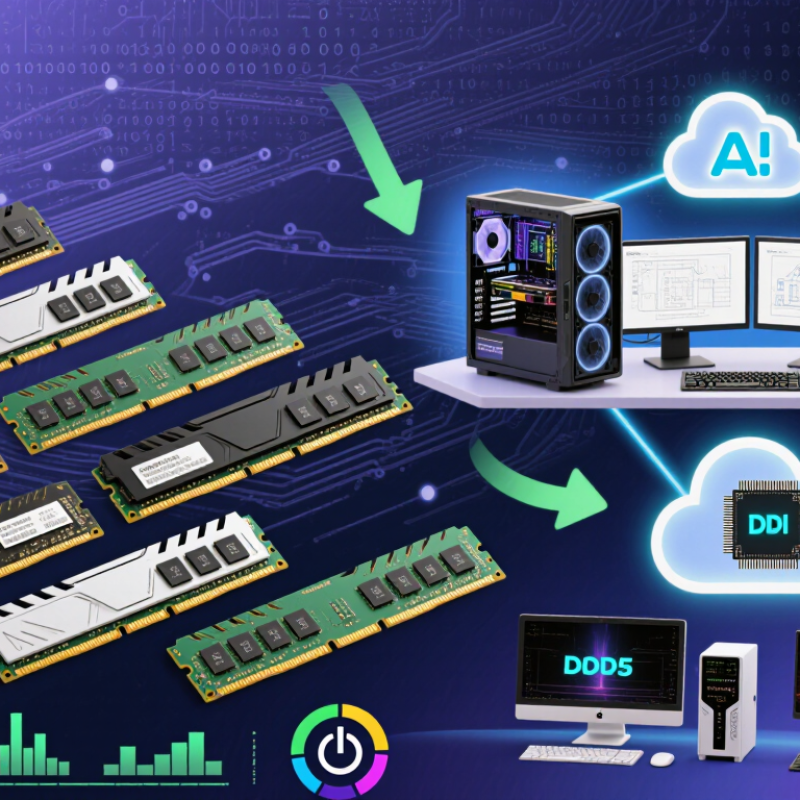
DDR5 Technology Basics and Its Role in Modern Computing
For global buyers in 2026, DDR5 is more than a higher memory number. It uses improved signaling, higher transfer rates, and separate power management on each module. This design can increase bandwidth for modern processors, integrated graphics, and demanding multitasking. Typical DDR5 systems also support greater capacity, which helps with large spreadsheets, video editing, and virtual machines. In practical desktop testing, faster memory often improves responsiveness during heavy workloads. Everyday browsing may feel almost unchanged.
Latency still matters. A high transfer rate does not guarantee a faster computer in every task. The processor, motherboard firmware, memory capacity, and cooling system all influence results. I once focused too heavily on speed ratings and overlooked insufficient capacity. That mistake created more slowdowns than expected. DDR5 also requires compatible hardware, so an older platform cannot accept it safely. Compatibility remains essential.
Tips: Check the motherboard’s supported capacity, speed range, and module configuration before purchasing. Two matched modules usually support better dual-channel performance than one module. Leave room for future upgrades if large files or creative software are involved. Compare real testing data, not only package specifications. Stability matters more than impressive numbers. A reliable memory kit should pass extended diagnostic tests at its intended settings. Power efficiency can help compact systems, but heat and firmware support still deserve attention.cuntegn
A practical comparison of DDR5 specifications, operating characteristics, and modern computing applications
| Technology Dimension | DDR5 Data or Specification | Practical Meaning for Buyers | Role in Modern Computing |
|---|---|---|---|
| Memory Generation | Fifth-generation mainstream synchronous dynamic random-access memory | Designed for newer desktop, notebook, workstation, and server platforms | Provides higher bandwidth and improved scalability than earlier-generation memory |
| Standard Data-Rate Range | JEDEC DDR5 standards begin at 4,800 MT/s; higher standardized and overclocked data rates are also available | Choose a speed supported by the processor and motherboard rather than selecting speed alone | Higher transfer rates improve the movement of large datasets and reduce memory bandwidth bottlenecks |
| Common Performance Classes | DDR5-4800, DDR5-5200, DDR5-5600, and DDR5-6400 are widely encountered data-rate classes | Higher classes can increase bandwidth, but real performance depends on timings, workload, and platform support | Useful for content creation, scientific workloads, gaming, virtualization, and data processing |
| Effective Transfer Rate | DDR5-4800 transfers 4,800 million data transfers per second; DDR5-6400 transfers 6,400 million | MT/s describes transfers per second and is more accurate than using MHz as the main label | Supports faster data exchange between the processor, integrated graphics, and system memory |
| Theoretical Bandwidth per 64-Bit Channel | DDR5-4800: 38.4 GB/s; DDR5-5600: 44.8 GB/s; DDR5-6400: 51.2 GB/s | Actual application performance is usually lower because of latency, access patterns, and system overhead | Higher bandwidth benefits integrated graphics, large-scale simulations, and parallel workloads |
| Operating Voltage | Nominal DDR5 SDRAM voltage is approximately 1.1 V; performance profiles may use different settings | Lower nominal voltage can help improve energy efficiency, although total power also depends on capacity and speed | Important for battery life, thermal design, and energy-conscious data-center operation |
| Memory Bus Organization | A standard DDR5 module uses two independent 32-bit subchannels, providing a total 64-bit data width | Smaller subchannels can improve scheduling efficiency and access flexibility | Helps processors handle multiple concurrent memory requests more efficiently |
| Burst Length | DDR5 uses a burst length of 16 data transfers | Longer bursts can improve efficiency when applications access data in contiguous blocks | Well suited to streaming workloads, graphics data, media processing, and large sequential transfers |
| Bank and Bank-Group Architecture | DDR5 provides more banks and bank groups than earlier mainstream DDR generations | More banks allow greater parallelism, although application behavior still affects results | Improves concurrency for multitasking, virtualization, analytics, and high-throughput applications |
| On-Die Error Correction | DDR5 memory chips include on-die ECC for correcting certain internal chip-level bit errors | On-die ECC does not automatically make a module system-level ECC memory | Improves internal data reliability and supports higher-density memory manufacturing |
| System-Level ECC Availability | Registered ECC, unbuffered ECC, and non-ECC configurations depend on the platform and module type | Verify processor, motherboard, firmware, and module compatibility before purchase | System-level ECC is valuable for servers, workstations, engineering, and long-running computation |
| Power Management | DDR5 modules generally include an integrated power-management circuit on the module | Power regulation is moved closer to the memory, improving control but increasing module design complexity | Supports stable operation at higher data rates and helps manage power delivery |
| Latency Calculation | Approximate CAS latency in nanoseconds = CL × 2,000 ÷ data rate in MT/s; for example, CL40 at DDR5-4800 ≈ 16.7 ns | Compare both data rate and timings; a higher MT/s value does not always mean lower latency | Latency affects responsiveness, especially in lightly threaded, gaming, and random-access workloads |
| Typical Module Capacities | Common desktop and notebook capacities include 16 GB, 32 GB, and 64 GB per module; larger capacities are available for supported platforms | Capacity should match workload requirements, operating-system usage, and the platform’s maximum supported memory | More capacity reduces reliance on slower storage-based virtual memory |
| Dual-Channel Configuration | Two compatible modules can enable dual-channel operation on supported systems | Using matched modules in the recommended motherboard slots can increase available memory bandwidth | Particularly useful for integrated graphics and bandwidth-sensitive applications |
| Compatibility Requirements | The motherboard, processor memory controller, module type, firmware, and physical form factor must be compatible | Desktop UDIMM, notebook SO-DIMM, registered DIMM, and other formats are not universally interchangeable | Correct compatibility is more important than purchasing the highest advertised speed |
| Workstation and Creator Use | Large-capacity DDR5 configurations support video editing, 3D rendering, computer-aided design, and software development | Capacity often delivers a larger productivity benefit than a small increase in memory speed | Reduces application slowdowns when handling high-resolution media and complex project files |
| Gaming Use | DDR5 can improve minimum frame rates and loading behavior when the processor and game engine are memory-sensitive | Balanced capacity, timings, and platform support are usually more valuable than extreme specifications | Helps maintain smooth multitasking while gaming, streaming, and using background applications |
| Artificial Intelligence and Data Analytics | Higher capacity and bandwidth help feed processors and accelerators with large datasets | System memory cannot replace dedicated high-bandwidth accelerator memory, but it supports data preparation and model workflows | Useful for preprocessing, simulation, inference pipelines, and large in-memory datasets |
| Energy and Thermal Considerations | Power consumption rises with module count, capacity, operating speed, voltage, and workload activity | Compare performance per watt when building compact systems or continuously operating servers | Affects cooling requirements, battery endurance, operating cost, and system reliability |
| Recommended Selection Strategy | Prioritize compatibility, sufficient capacity, stable data rate, appropriate timings, and warranty support | For many users, a balanced DDR5 configuration provides better value than the fastest available specification | Creates a reliable foundation for modern operating systems, applications, games, and professional workloads |
Match the memory with the processor, motherboard, firmware, and supported memory profile. Speed labels alone can mislead. Check the board’s qualified memory list and maximum capacity. Test the exact configuration when possible.
No. A 6400 MT/s module may not outperform a slower module in every system. Timings, firmware support, and channel configuration also affect performance. A stable setting often beats an unstable peak.
Larger modules can support local AI tools, content creation, and heavy multitasking. Options such as 24GB, 48GB, and 64GB offer flexible upgrade paths. Capacity per dollar may matter more than extreme speed. That feels less exciting, but often works better.
Buyers handling financial models or scientific workloads should verify the exact memory type. On-die error correction does not replace system-level error-correcting memory. Long validation cycles and stable supply also deserve attention. Confirm support before ordering.
It is important in compact cases, dense servers, and warm environments. Poor airflow can increase heat and reduce sustained performance. Check temperatures during long workloads, not only short benchmarks. Small cases can surprise you.
Do not compare only headline speed. Registered modules may not work in systems designed for other memory types. Retail and enterprise specifications can differ. Compatibility lists help, but they are not perfect.
Test sleep recovery, long file transfers, repeated restarts, and sustained workloads. A short benchmark may hide unstable settings. Watch for reduced speeds, crashes, or failed recovery. I would test longer than planned.
Check local certification, import requirements, warranty coverage, and replacement procedures. Cross-border replacement can take several weeks. Regional supply conditions may change quickly. That is not a minor detail.
DDR5 technology is becoming a central part of modern computing, offering higher data speeds, greater memory capacity, improved channel efficiency, and better power management than earlier generations. For global buyers, selecting the right DDR5 memory requires more than comparing speed ratings. Important considerations include compatibility with the intended processor and motherboard, regional availability, system workload, reliability requirements, and the balance between performance and total cost. Users should also evaluate upgrade flexibility, thermal conditions, and support for future capacity expansion.
In 2026, DDR5 purchasing decisions will increasingly reflect the needs of gaming, professional creation, business systems, data processing, and energy-conscious devices. Emerging developments are expected to improve density, stability, power efficiency, and intelligent memory management. Buyers should choose tested specifications that match their platforms rather than focusing only on maximum speed. By considering current performance needs alongside long-term compatibility and upgrade potential, users can make more practical investments in the Future of DDR5 technology.

 CoreByte